 Chrome
 Brave
Brave Firefox
Pixel-accurate token extraction
Computed colors, fonts, spacing & shadows — what actually ships, not what the stylesheet claims.
We ran DesignDNA on caldera.xyz, piped the extracted design.md into Google Stitch, and got a pixel-perfect landing page without touching a color picker.

Step 1 — DesignDNA extracts colors, type, spacing & components
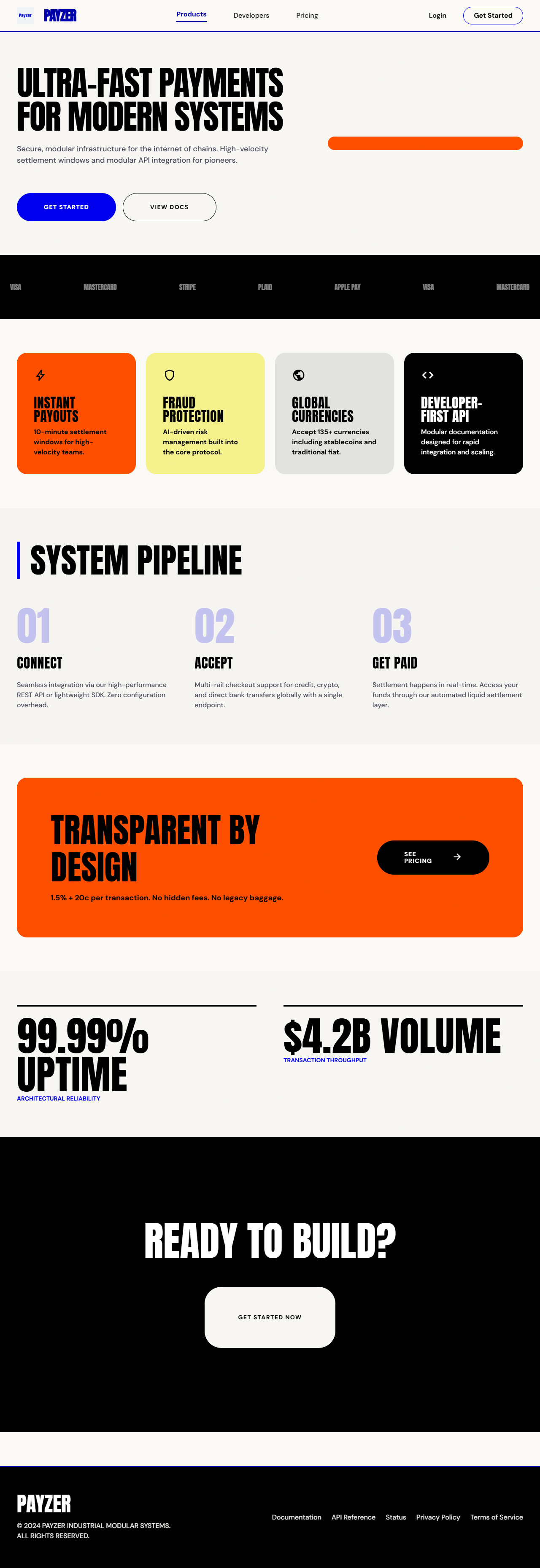
Step 2 — Paste design.md into Google Stitch → full page generated in one shot
Drops into the agents
you already use


Why DesignDNA
Most design-to-code tools dump a screenshot and pray. DesignDNA reads the DOM the way a senior engineer would — capturing the system, not just the surface — so your agent writes code that already matches your brand.
Computed colors, fonts, spacing & shadows — what actually ships, not what the stylesheet claims.
Detects buttons, cards, inputs and nav patterns — emits semantic specs your agent can scaffold instantly.
Dense, hierarchical output tuned for context windows. Cursor & Claude Code parse it with zero prompt engineering.
Don't just go from design to code—go from code to design. Import the generated JSON directly into Figma to instantly reconstruct a live site's typography scale and color tokens as native variables.
Export styling and layout rules as CSS variables, JSON, Tailwind CSS config, or TypeScript styles.
Comprehensive Output
Export far more than just a markdown design system. Get Figma variable imports, W3C standard JSON tokens, CSS properties, and Tailwind configurations instantly.
How it works
Open the page whose design language you want to capture — a competitor, an inspiration board, your own production app.
The compiler walks the DOM, samples computed styles, clusters tokens and identifies recurring component patterns in seconds.
Unzip your design system. Feed the CSS files and design-system.md to your AI coding agent for instant context, or import figma-export.json directly into Figma. You're ready to start building.
$ attach ./design-system.md
$ "Build a pricing page using the attached design system."
→ Generating ProductCard, PricingTier, FeatureRow…
→ Using brand:#635BFF · radius:12px · font:Sohne
→ 11 files written. On-brand. Ready to ship.Designers, indie hackers and vibe coders use DesignDNA to ship pixel-perfect UI with their AI coding and designer agents.
Compiled Linear's design system in 50 seconds and dropped the spec into Cursor. My agent finally stopped inventing random shades of purple. Game changer.


The generated tailwind instantly syncs with our Next.js frontend. Our developer velocity doubled because we no longer manually extract styles from Figma.
I managed to port a complex SaaS dashboard's styling system directly into my AI agent in seconds. The precision of the extracted design tokens is truly unmatched.


The DesignDNA has revolutionized how we approach AI-driven UI generation. Our prototypes are now 10x faster.
Pricing
No seat math, no design-token-per-month nonsense.
For solo devs shipping AI-built UI.
FAQ
Everything you need to know before installing the extension.

Ready to compile?
Start extracting now, Try it on any website for Free.